



EM504 – Optimizing Training and Development Expenses using Expense Management in Dynamics 365 Project Operation
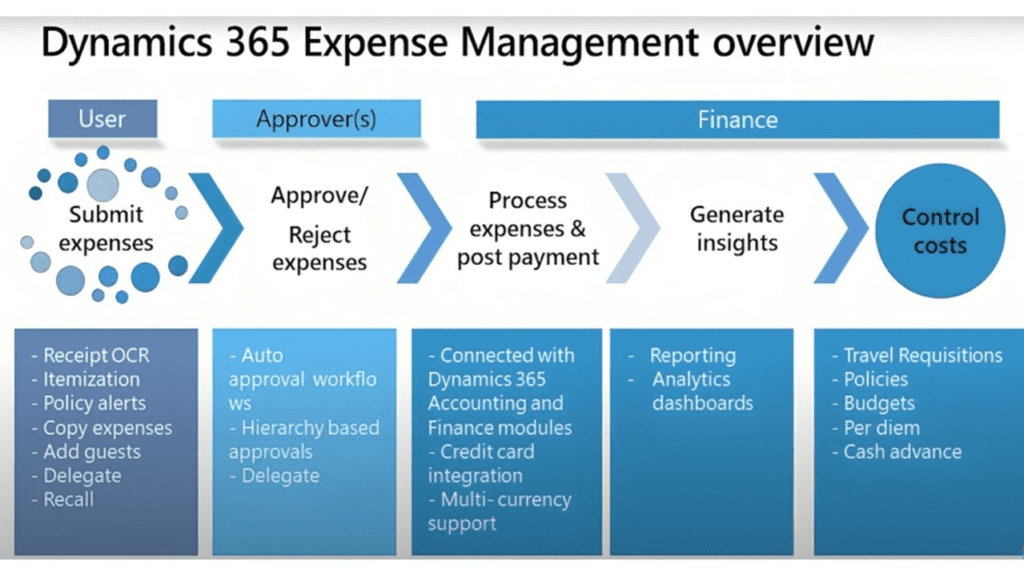
Introduction
In today’s competitive landscape, investing in employee training and development is crucial for organizational success. While companies often pay training and development expenses directly to suppliers, it’s essential to have a streamlined process to track these expenses effectively. This article examines how organizations can utilize the Expense Management module in Dynamics 365 Project Operation to optimize training expenses while delegating the submission process to a finance team member.
The Importance of Training and Development Expenses
- Employee Growth: Investing in training enhances employees’ skills and knowledge, leading to improved performance and job satisfaction.
- Business Success: A well-trained workforce can drive innovation and efficiency, directly impacting the bottom line.
- Budget Management: Tracking training expenses helps organizations allocate budgets effectively and identify areas for improvement.
Use Case: Delegating Expense Submission for Training
Scenario Overview
In this scenario, training and development expenses are paid directly from the company to the suppliers providing the courses. Employees participate in these training programs but do not handle the expense submission. Instead, a designated finance team member is responsible for submitting training and development expenses on behalf of all employees. This ensures that all training-related data is accurately recorded in the financial records, maintaining a clear audit trail and compliance with company policies.
Step-by-Step Configuration in Dynamics 365 Project Operation
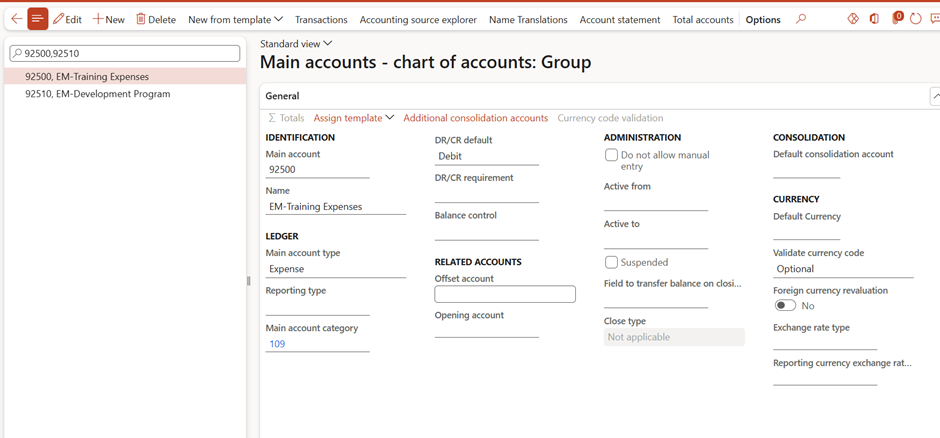
Step 1: Create Main Accounts
Step 2: Configure Payment Method
- Expense Management > Setup > Payment Methods

Step 3: Set Up Expense Shared Category
- Go to Expense Management > Setup > Shared Category
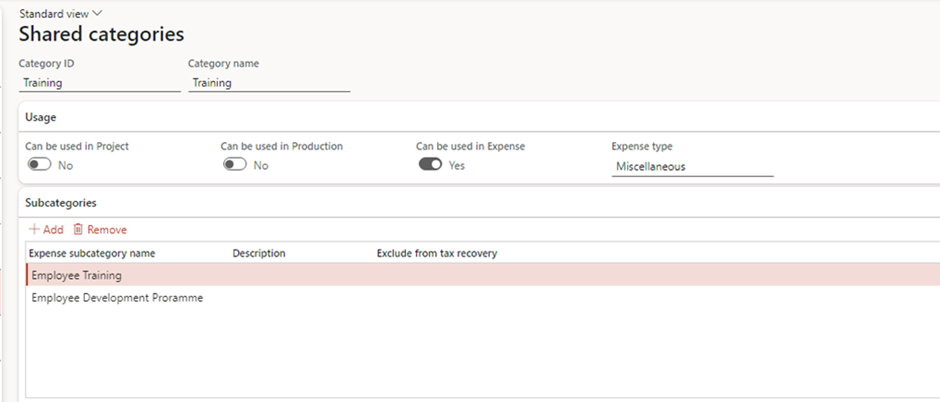
Step 4: Set Up Training and Development Expense Categories
- Go to Travel and Expense Management > Setup > General > Expense categories.
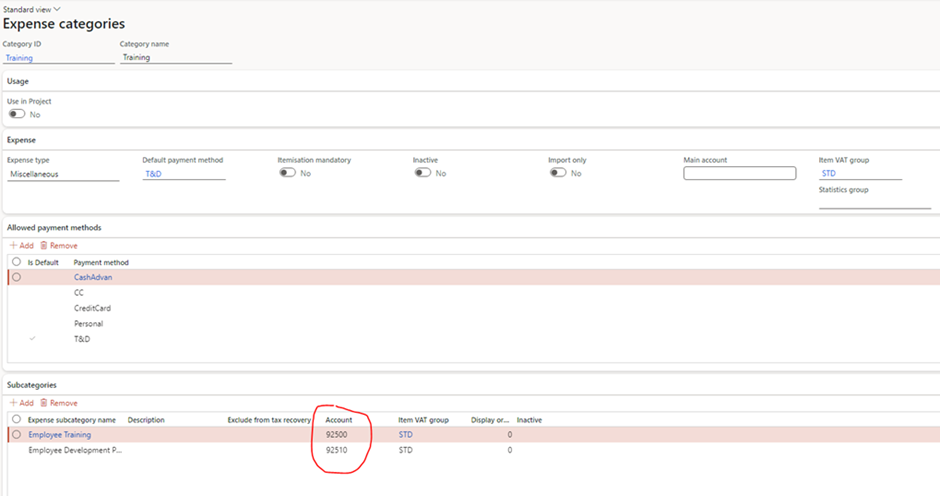
Step 5: Assign a Delegate for Expense Submission
1. Identify the Finance Team Member:
- Choose a finance team member who will act as a delegate for submitting training and development expenses.
2. Set Up Delegation:
- Go to Expense Management > Setup > General > Delegates

Step 6: Delegate Submitting Expenses and Workflow approval
- Go to Expense Management > My Expenses > Expense Report
- Click Open Other user’s expenses

- Select Employee > OK
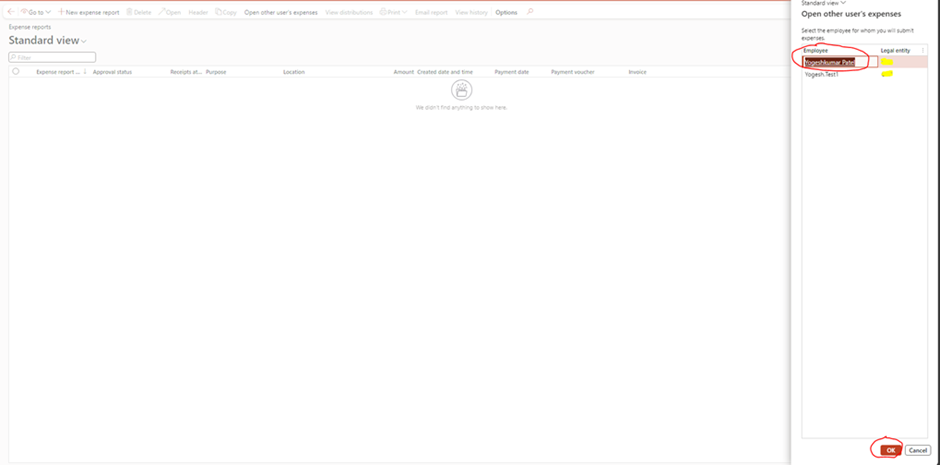
- Create Expense report
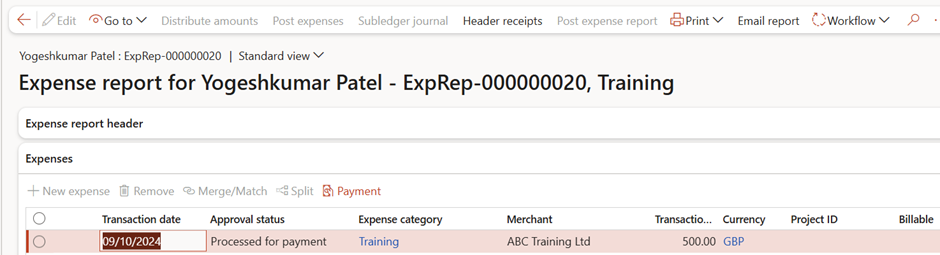
- Add expenses
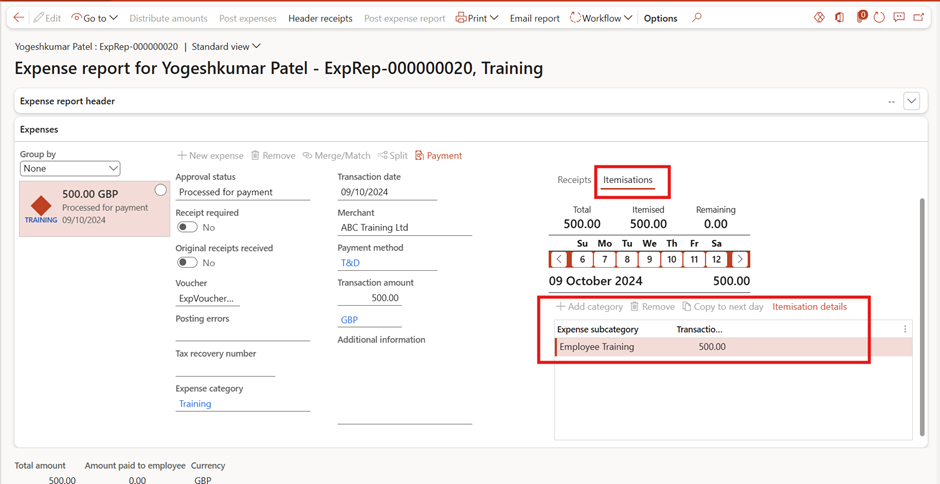
Step 7: Post expense reports and verify Financial Posting
Post Expense Report
- Go to Expense Management > Process expense reports > Approve expense reports
- Post

Verify Financial Posting:

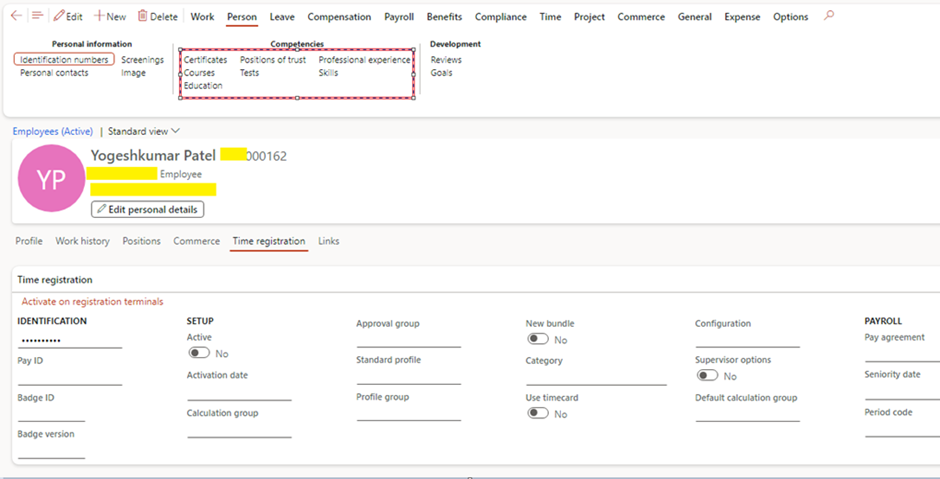
Step 8: Record Employee training
- Go to Human Resources > Workers > Employees > Action Pane : Person
Conclusion
By leveraging the Expense Management module in Dynamics 365 Project Operation, organizations can optimize their training and development expenses while simplifying the submission process through delegation. This approach ensures accurate financial tracking of training investments, supports employee growth, and enhances overall organizational effectiveness.
Investing in training is not just a financial decision; it’s a commitment to the future success of both the employees and the organization as a whole. By implementing these strategies, companies can effectively manage training expenses and empower their workforce to achieve their full potential.
Expand Your Knowledge: See More Expense Management Blogs
Share this content:












Post Comment