




CP103 – 🧠 Copilot Prompt Gallery: Use It Like a Pro
As Copilot advance user, one of the best tools I recommend is the Microsoft Copilot Prompt Gallery — a fantastic resource packed with ready-to-use prompts to help you get the most out of Copilot.
🔍 What Is the Prompt Gallery?
It’s an official Microsoft page that offers hundreds of pre-built prompts designed for different roles, tasks, and apps like Word, Excel, Teams, Outlook, and more.
Whether you’re writing emails, analysing data, summarising meetings, or building presentations, this gallery shows you exactly how to ask Copilot for help.
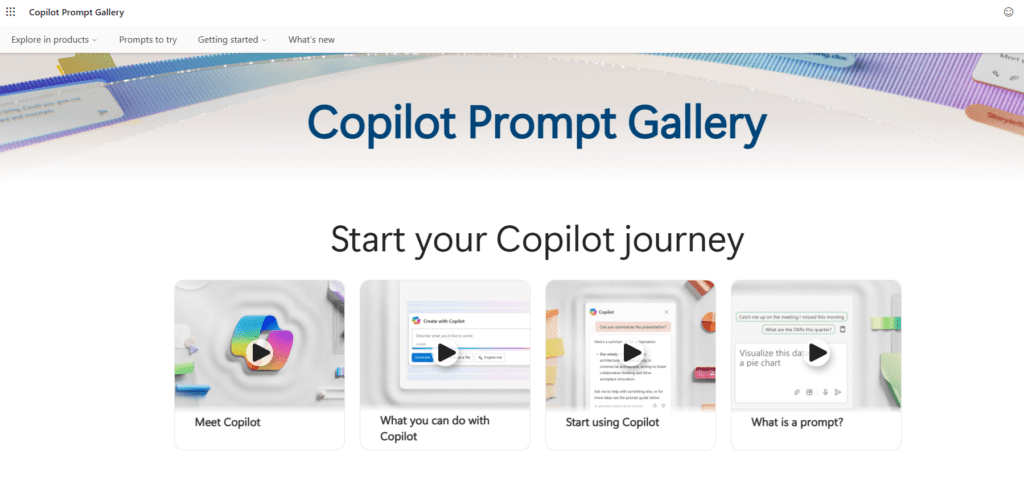
🚀 How to Use the Prompt Gallery
1. Go to the site:
👉 copilot.cloud.microsoft/en-GB/prompts
2. Browse by App or Role:
Filter prompts by Microsoft 365 app (like Word or Teams) or by job role (like sales, marketing, or finance).
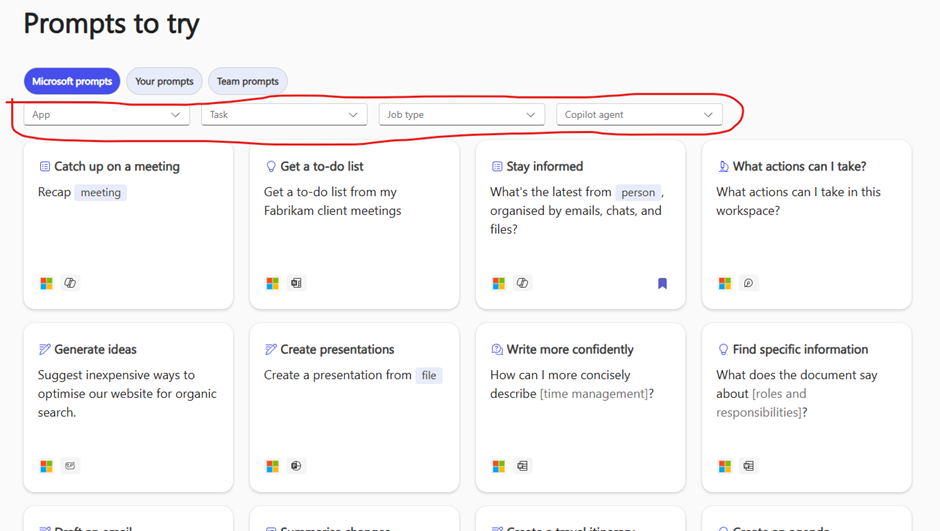
3. Click a Prompt:
See the full example of how to word your request, including context, structure, and tone.
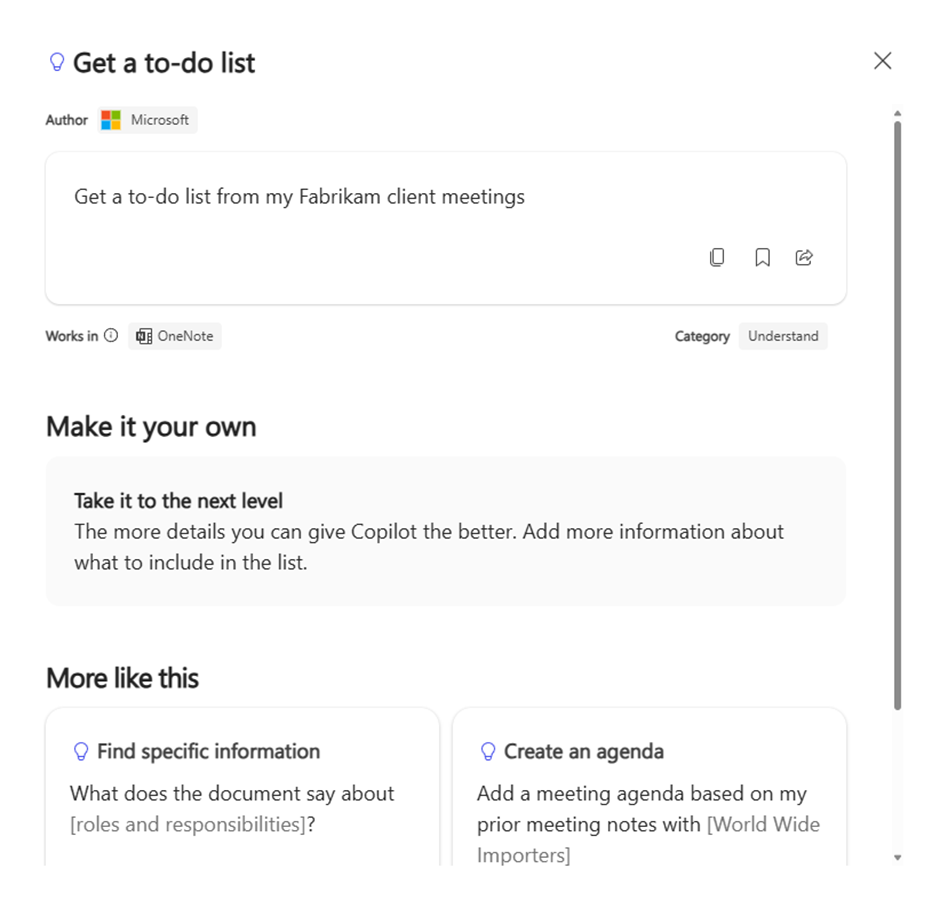
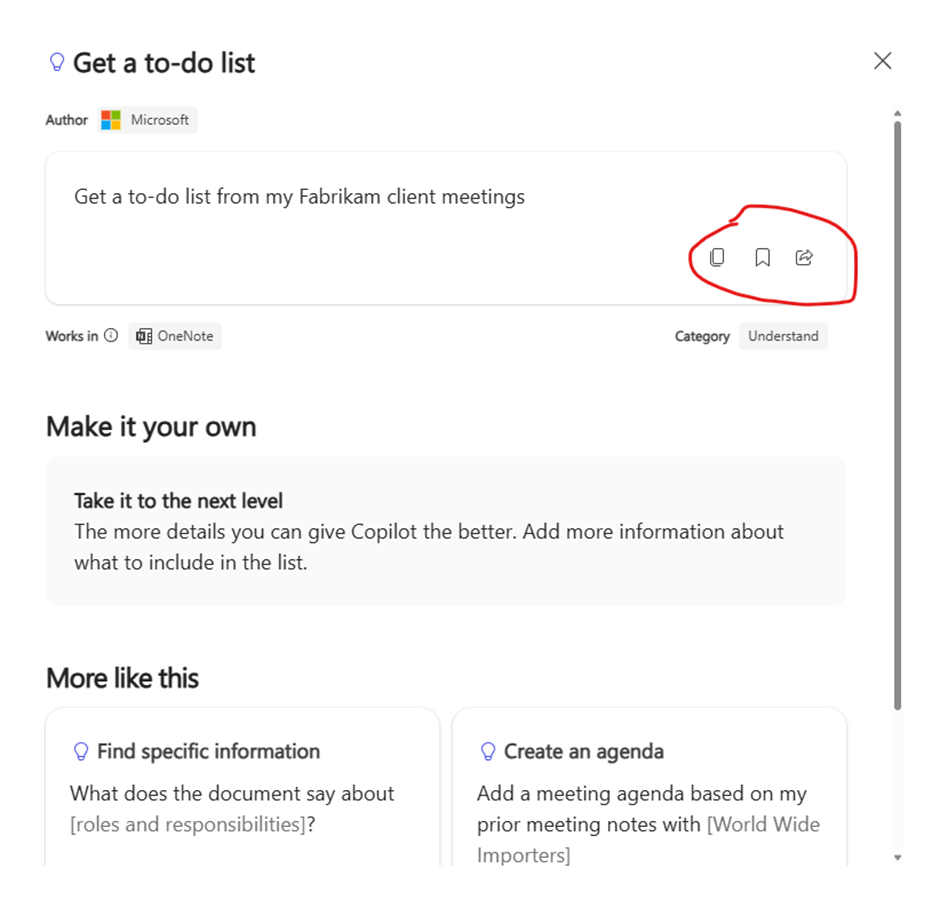
4. Copy and Customise:
Take the prompt, tweak the names, topics, or data to suit your needs, and paste it directly into Copilot.
🎯 Why It’s Useful
✅ Saves time – Start with expert-crafted prompts
✅ Improves results – Better input = better output
✅ Great for learning – See real examples of strong prompt structure
✅ Inspires new use cases – Discover ways to use Copilot you hadn’t thought of yet
💬 Tip:
Bookmark the page and check it before your next task — you’ll find prompts for everything from writing agendas to generating summaries, insights, and more.
Expand Your Knowledge: See More Copilot Blogs
Share this content:














1 comment