







DM502 – Simplifying the Inbound ASN V3 XML Process: Converting Excel Data to XML for Non-Technical Users (Part-2)
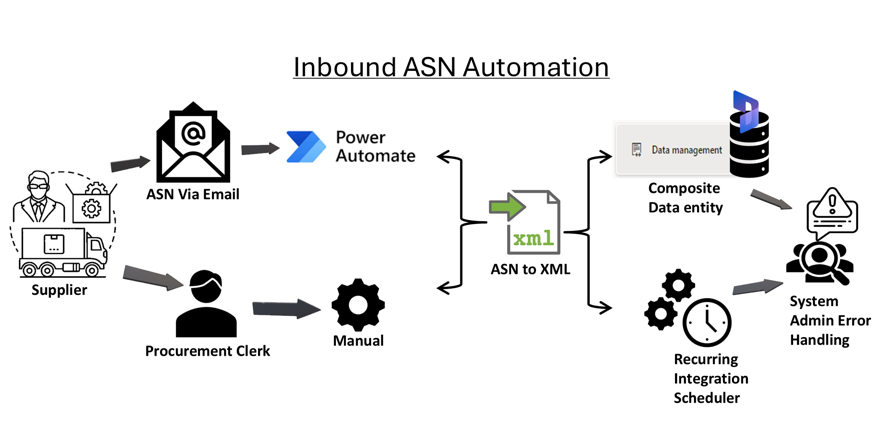
Series Introduction
This article is Part 2 of 4 in the Automatic Inbound ASN Series, where we explore key Data Management operations in Dynamics 365 Finance & Operations (D365FO). You can find the complete series below:
📌 DM501 – Using the Composite Inbound ASN V3 Entity in D365FO
📌 DM502 – Converting Excel Data to XML for Inbound ASN V3 (Current Article)
📌 DM503 – Securing Data Management Projects in D365FO
📌 DM504 – Automating Inbound Load Creation in D365FO
👉 New to the series? Start from Part 1.
Introduction
This article focuses on helping end users who are unfamiliar with XML coding. I’ll demonstrate how to prepare an Excel template and convert the data into the Inbound ASN V3 XML format, enabling users to manage data without deep technical knowledge.
Step 1: Prepare and map xml schema in Excel file

- Save File
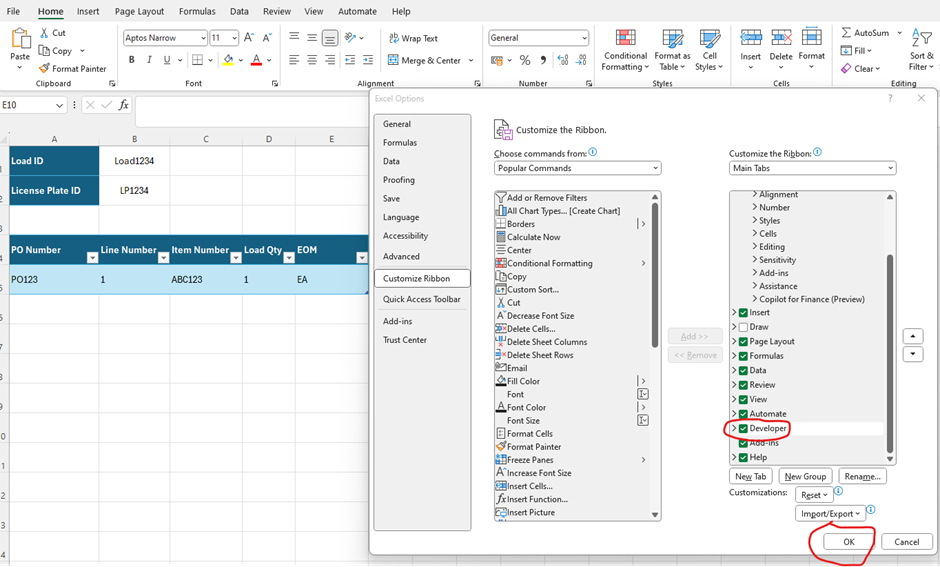
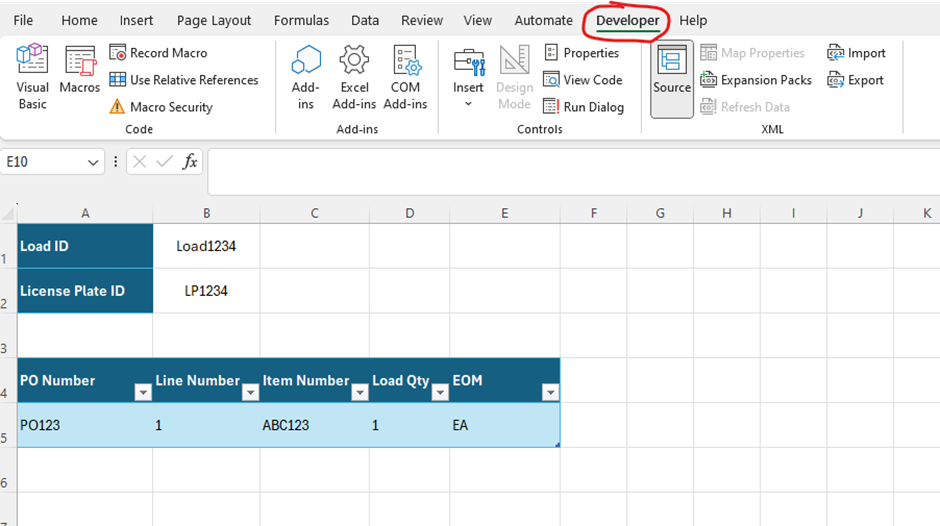
- Customise excel ribbon and Enable Developer Tab in excel
- Open XML Maps
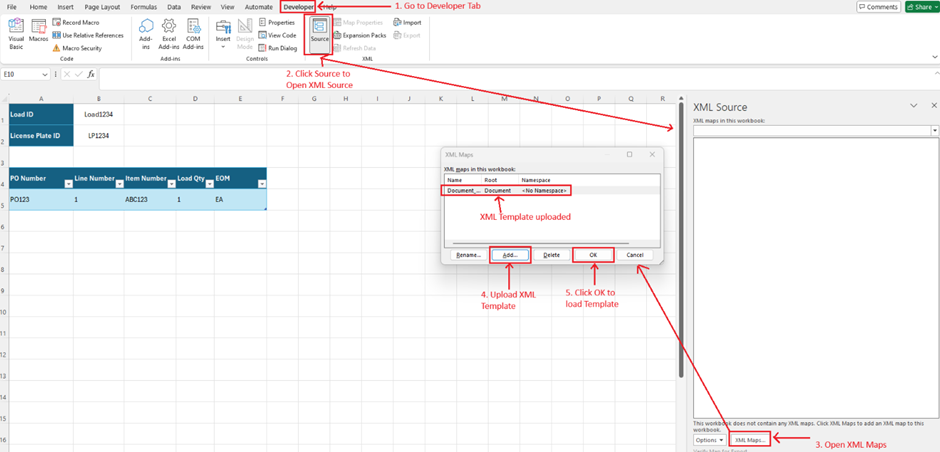
- XML Template uploaded
<?xml version="1.0" encoding="UTF-8"?>
<Document>
    <WHSInboundLoadHeaderEntity LOADID="Load1234">
        <WHSInboundShipmentHeaderEntity DELIVERYTERMSCODE="">
            <WHSInboundLoadPackingStructureEntity LICENSEPLATENUMBER="LP1234">
                <WHSInboundLoadPackingStructureLineV3Entity ITEMNUMBER="ABC123" PURCHASEORDERLINENUMBER="1" PURCHASEORDERNUMBER="PO123" QUANTITY="1" UNITSYMBOL="ea"/>
            </WHSInboundLoadPackingStructureEntity>
        </WHSInboundShipmentHeaderEntity>
    </WHSInboundLoadHeaderEntity>
</Document>- Excel displays XML attributes
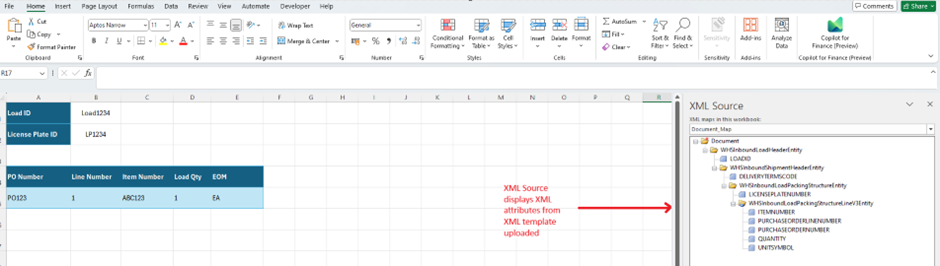
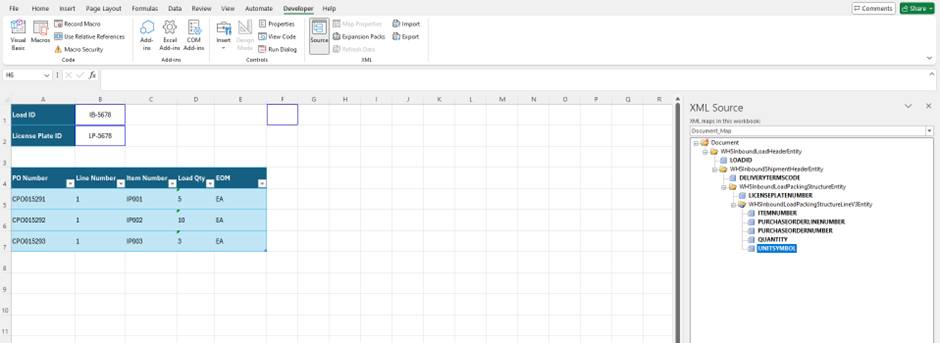
- We now need to map each element from XML source to field on excel sheet by Drag and Dropping XML source to excel cells directly.
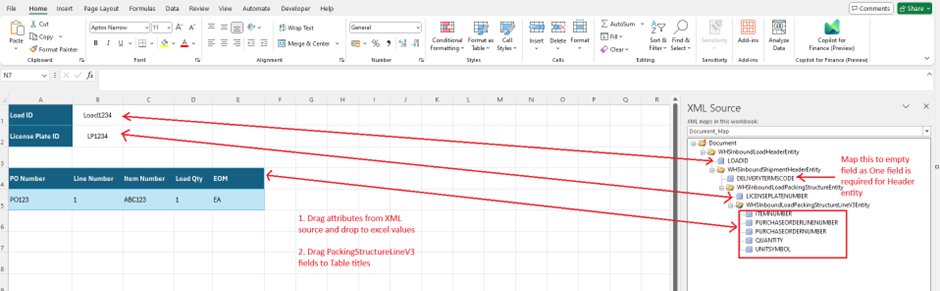
- Map Elements
- Once mapped, xml source attributes will turn BOLD fonts
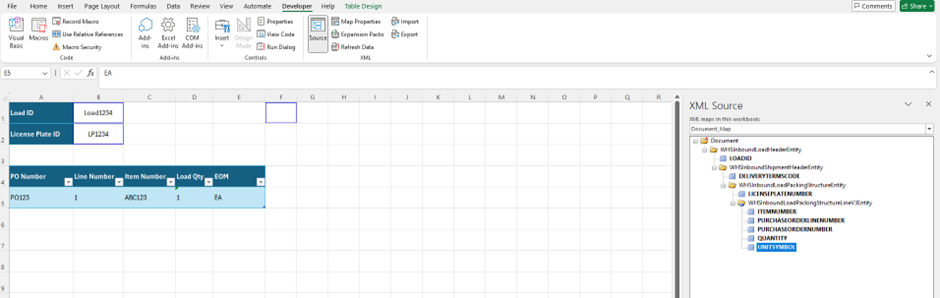
- Save Template. Template is ready to use.
Step2 : Run and Test
- Replace dummy data with real load data
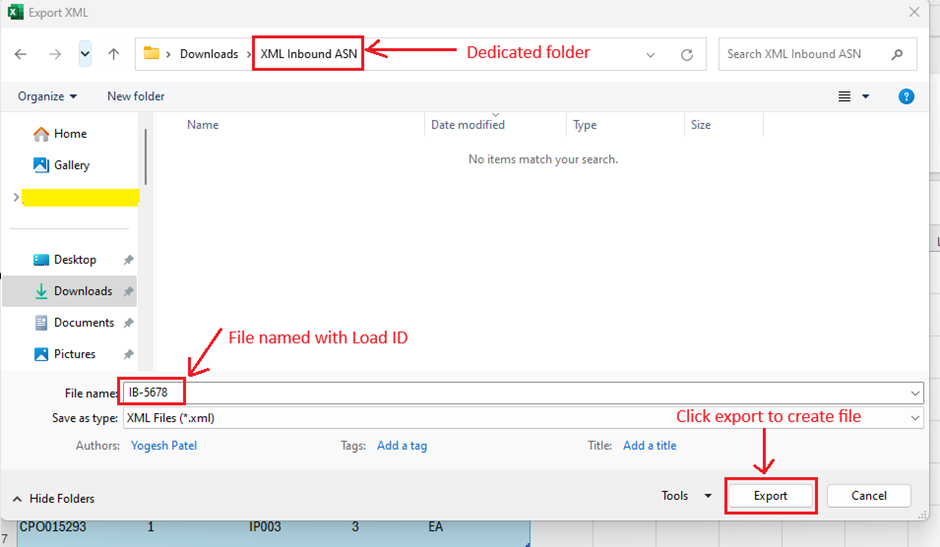
- Export file
- Verify exported file content

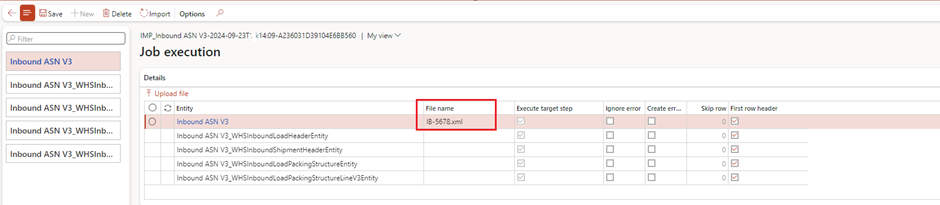
- Upload file using data management Project created in previous article.

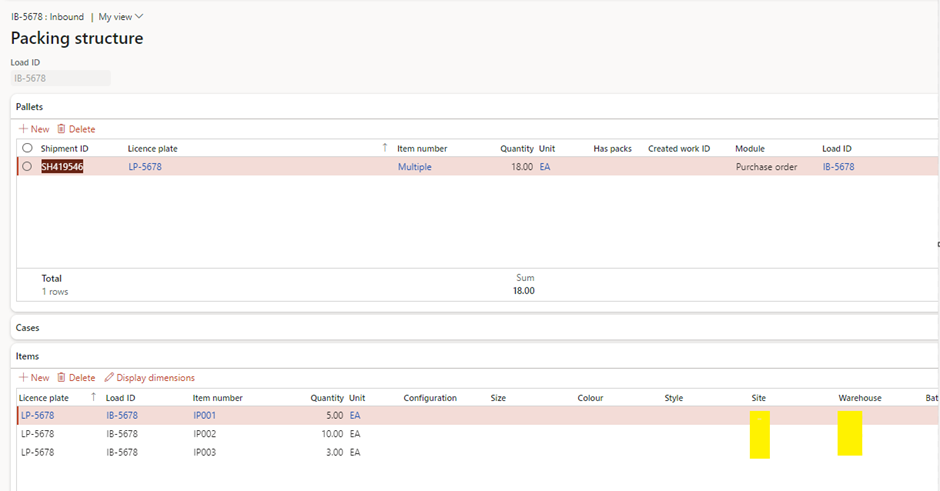
- Verify load creation and Packing structure.

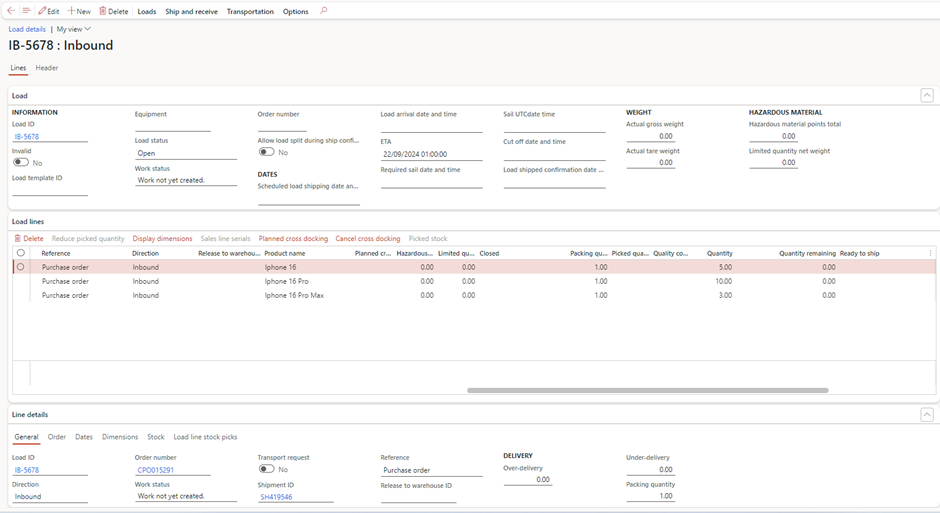
Conclusion
In this article, we’ve walked through a step-by-step guide to simplify the process of creating XML files in the format required by the Inbound ASN V3 entity in Dynamics 365 Finance and Operations. By using Excel as the starting point, non-technical users can easily prepare shipment data, and then convert it into the necessary XML format without needing to understand XML coding. This approach empowers end users by making the process more accessible and user-friendly.
In the next article, we will explore how to grant access to data project using the Team Member License, the most cost-effective licensing option available in Dynamics. With this, businesses can provide users with the necessary permissions to handle the data without incurring high licensing costs, ensuring both efficiency and security in the process.
This method streamlines operations, reduces errors, and makes it easier for end users to manage inbound shipments—contributing to a more efficient and productive warehouse management workflow.
Expand Your Knowledge: See More Data Management Blogs
Share this content:













2 comments