





DM504 – Leveraging the Recurring Integration Scheduler in D365FO for Automated Inbound Load Creation (Part-4)
Series Introduction
This article is Part 4 of 4 in the Automatic Inbound ASN Series, where we explore key Data Management operations in Dynamics 365 Finance & Operations (D365FO). You can find the complete series below:
📌 DM501 – Using the Composite Inbound ASN V3 Entity in D365FO
📌 DM502 – Converting Excel Data to XML for Inbound ASN V3
📌 DM503 – Securing Data Management Projects in D365FO
📌 DM504 – Automating Inbound Load Creation in D365FO (Current Article)
👉 New to the series? Start from Part 1.
Introduction
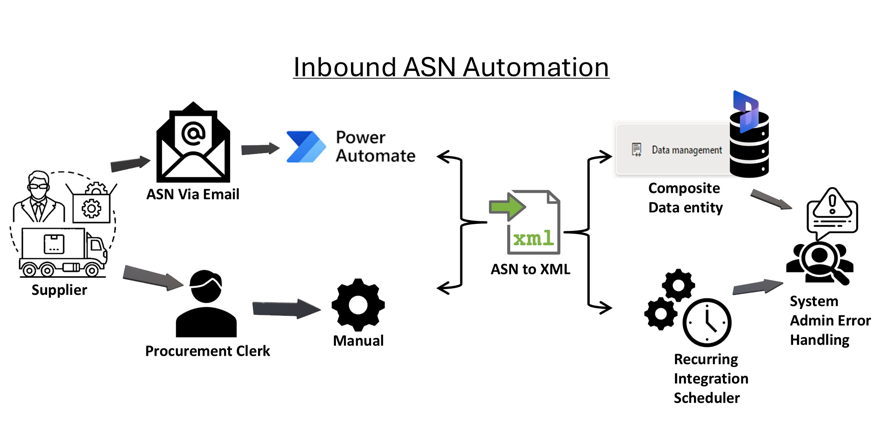
In today’s fast-paced business environment, automating data imports is critical to optimizing workflows and improving efficiency. Dynamics 365 Finance and Operations (D365FO) offers a powerful tool known as the Recurring Integration Scheduler (RIS), which allows businesses to automate the inbound load creation process. By setting up recurring imports, businesses can streamline their supply chain processes, reduce manual data entry, and improve overall efficiency.
This article outlines the high-level steps to configure and use the Recurring Integration Scheduler for automating inbound load creation in D365FO.
Overview of Recurring Integration Scheduler
The Recurring Integration Scheduler (RIS) in D365FO enables users to schedule regular data imports and exports. By leveraging this feature, organizations can set up automated processes to create inbound loads based on predefined schedules, making the flow of data from external systems into D365FO seamless and timely.
Key benefits include:
- Reduced manual effort in creating inbound loads.
- Consistent and error-free data imports.
- Improved supply chain and inventory management.
High-Level Steps for Configuring Recurring Integration Scheduler (RIS)
Step 1: Register Azure Application for authentication
- Register application and collect security details i.e. Client ID, Tenant ID, Secret Key value, Secret Key ID
- Add Application ID under Entra ID application list in D365FO
Step 2: Install RIS
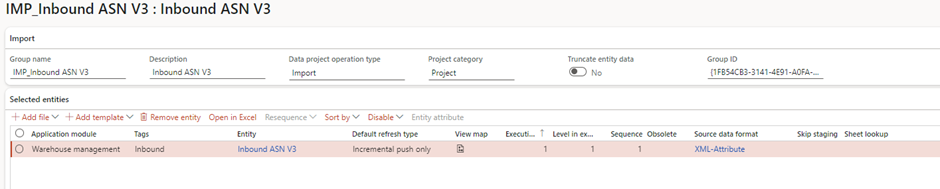
Step 3: Create a Data Import Project
- Click on Import to set up a new data import project.
- Define the Project name and select the Entity related to inbound loads (for example, Inbound ASN V3).
- We created this project in the beginning of this article series
Step 4: Set Up the Recurring data job
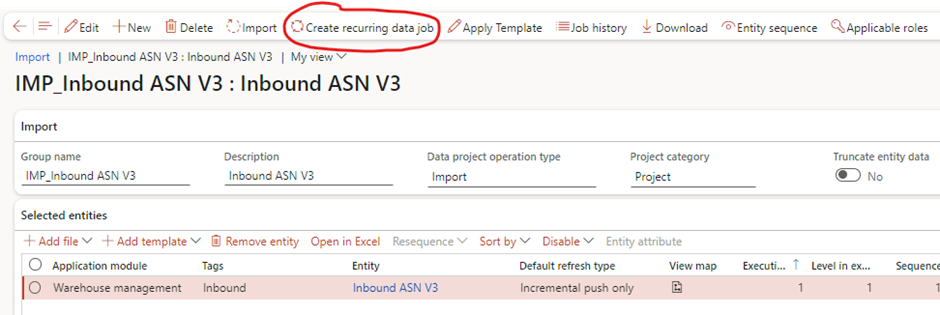
- After configuring the import project, Select New to create a new recurring job.
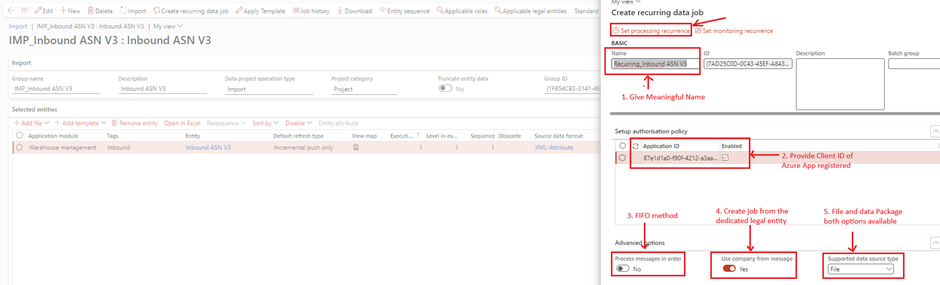
Step 5: Define Job Execution Parameters
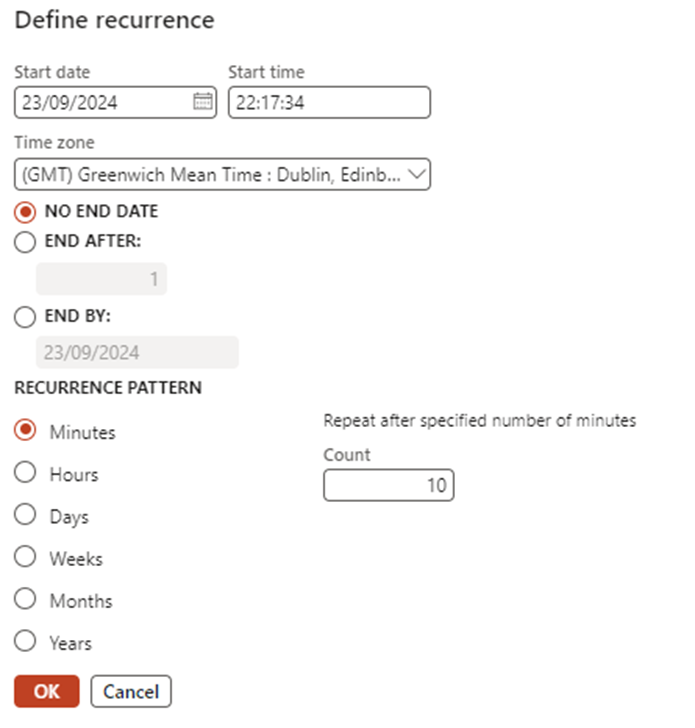
- Set the execution parameters for the recurring job, such as:
- Start and end times.
- Execution interval (e.g., every 30 minutes, every day).
- Failure handling settings, including retries and notifications.
Step 6: Activate the Recurring Integration Scheduler
- Once all configurations are in place, activate the recurring job.
- The system will now automatically run the data import based on the defined schedule, creating inbound loads from external data without manual intervention.
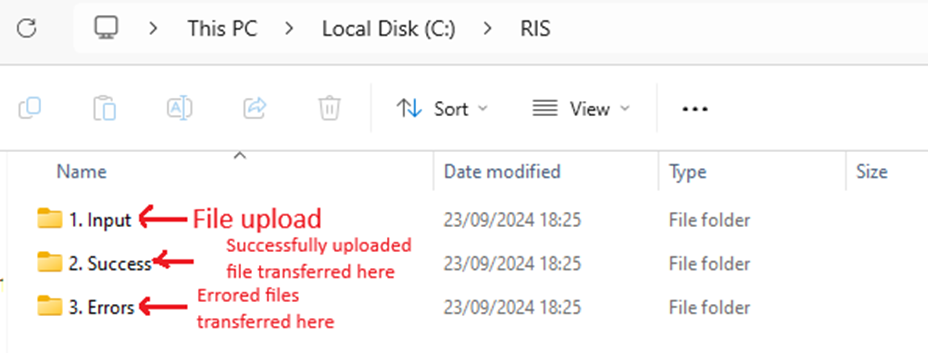
Step 7: Create 3 Folders in Local PC
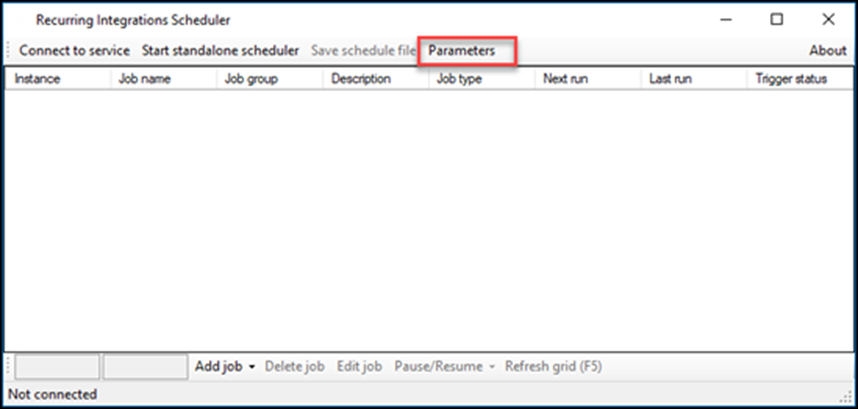
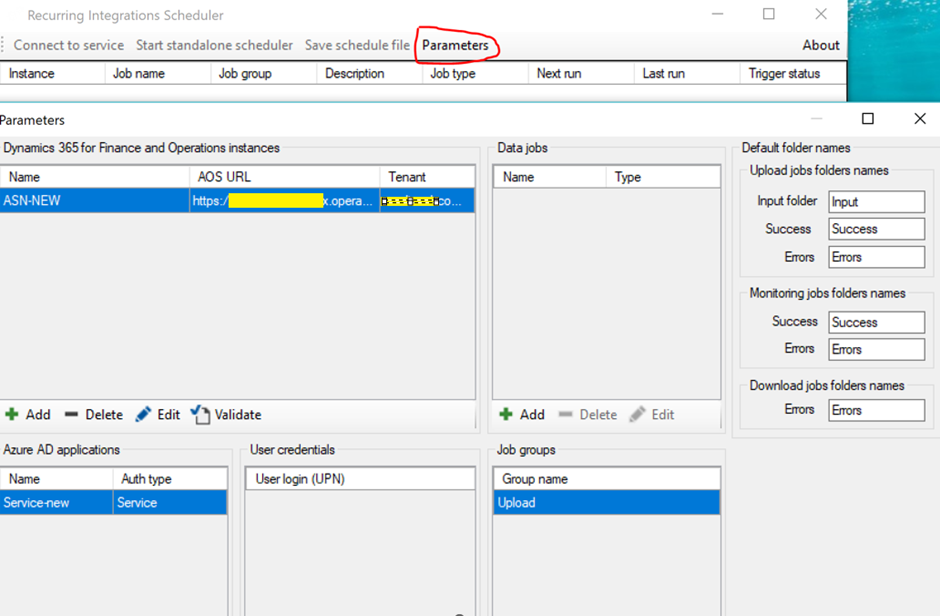
Step 8: Setup RIS Parameters
- Setup parameters and validate
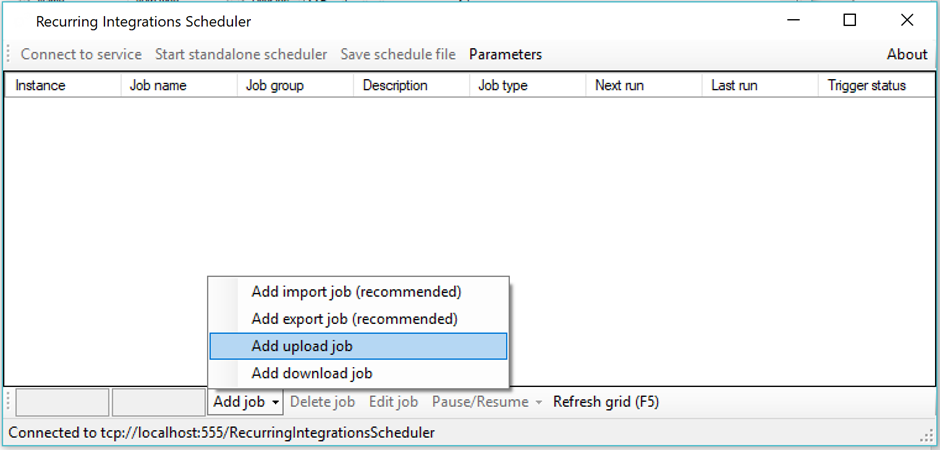
Step 9: Add Upload Job in RIS
- Add upload Job and setup recurrence
3. Monitoring and Managing Recurring Data Jobs
After the RIS is configured and activated, it’s essential to monitor the execution status to ensure everything runs smoothly. You can track the status of the recurring data jobs from the Execution history in the Data Management workspace. This section provides logs on:
- The success or failure of data jobs.
- Error messages, if any, for troubleshooting.
- Details on the imported data, including timestamps and record counts.
4. Advantages of Using Recurring Integration Scheduler for Inbound Loads
Using the Recurring Integration Scheduler for inbound load creation offers several advantages:
- Automation: Minimizes manual intervention by automating repetitive import tasks.
- Accuracy: Reduces the chance of human error during data entry.
- Efficiency: Ensures that data is imported on time, keeping your supply chain updated and reducing delays in order processing.
- Scalability: As your business grows, RIS can scale to handle larger volumes of data efficiently.
Conclusion
The Recurring Integration Scheduler (RIS) in D365FO is an essential tool for automating inbound load creation. By configuring RIS, businesses can streamline their supply chain processes, improve accuracy, and reduce manual effort. This automation ensures that your system stays updated with the latest data, helping you maintain an efficient and error-free operation. For organizations looking to optimize their workflow, implementing the Recurring Integration Scheduler is a smart, cost-effective solution.
Expand Your Knowledge: See More Data Management Blogs
Share this content:













Post Comment