




MH509 – Transforming Data with Liquid Templates: Aligning MHAX Outbound Responses to External WMS Formats in Dynamics 365FO
Introduction
In this article, we’ll explore how Liquid templates can be used within Azure Logic Apps to seamlessly transform outbound responses from Dynamics 365FO’s MHAX module into the required format for an external Warehouse Management System (WMS).
Liquid Templates are a powerful tool for data transformation, allowing you to reshape and format JSON or XML data to match the specific requirements of different systems. In scenarios where Dynamics 365FO needs to communicate with external WMS systems, the data format can often be a challenge, as each system may have its own structure and data requirements.
By using Liquid templates in your Logic App, you can take the outbound response generated by MHAX and transpose it into the inbound format that your external WMS system expects. This process ensures that data flows smoothly between systems without the need for complex manual transformations or multiple intermediate steps.
User case examples
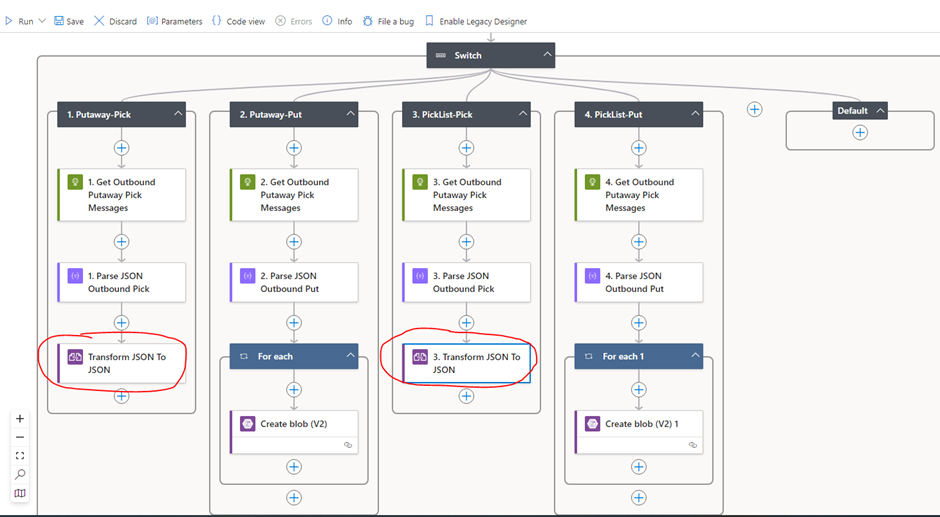
Note – Picklist-Put and Putaway-Put does not require transform as they are not required for external wms
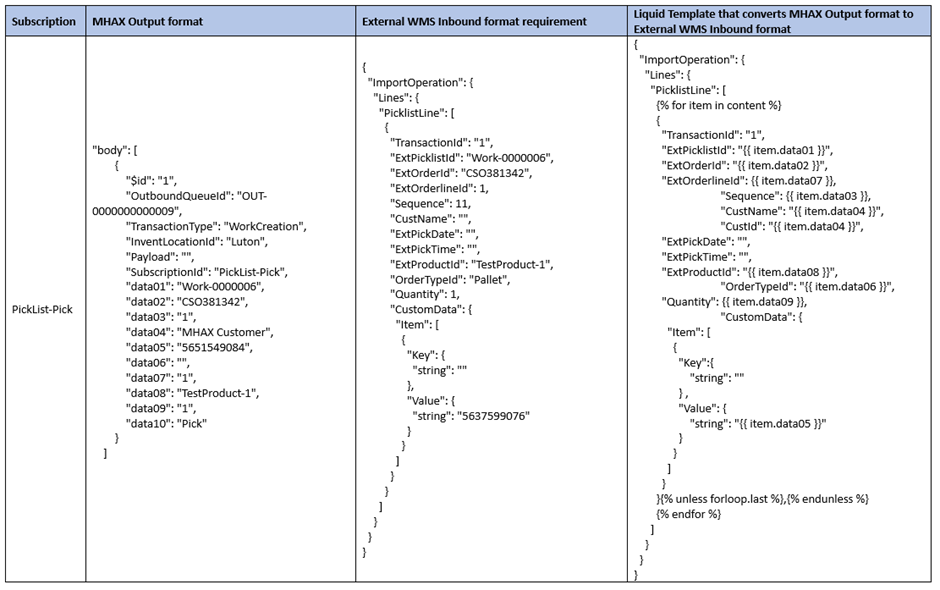
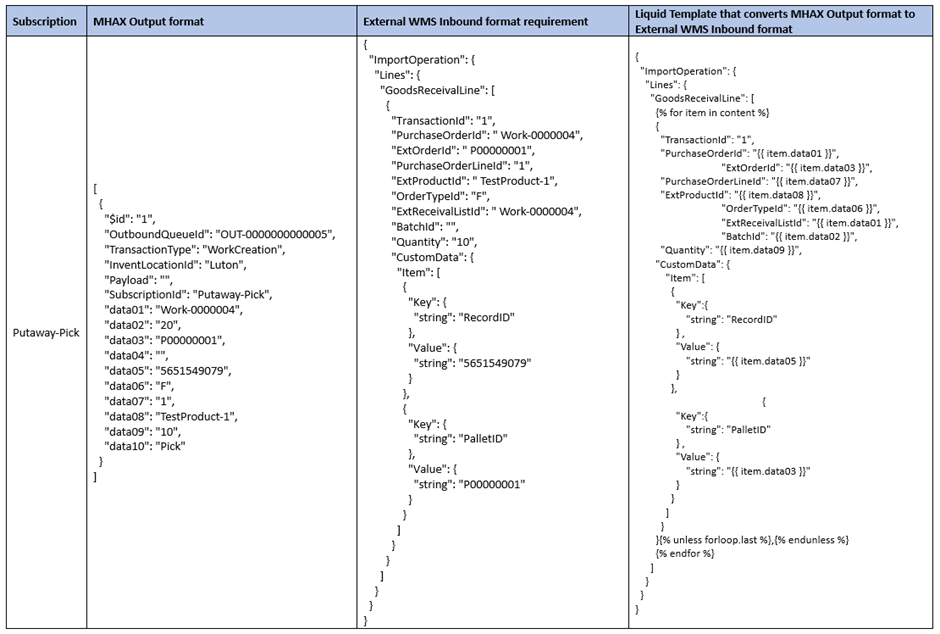
Liquid Template Configuration
A. Save above PickList-Pick and Putaway-Pick code as .liquid file locally.

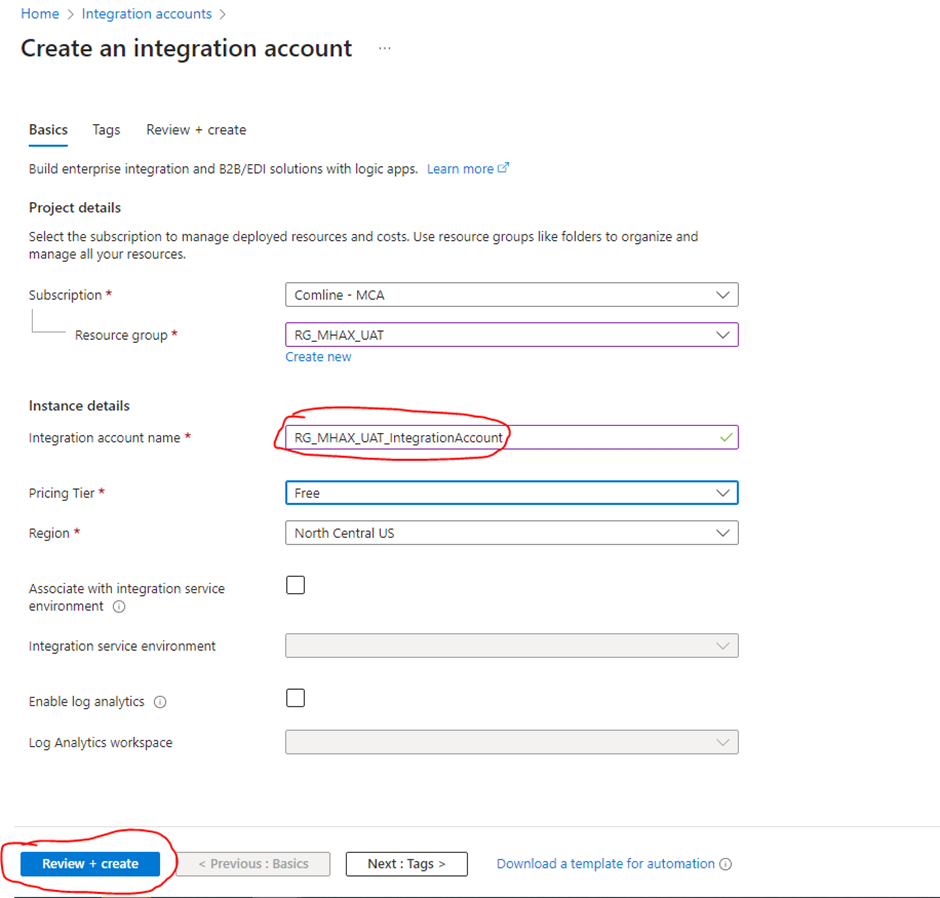
B. Create Integration account in Azure
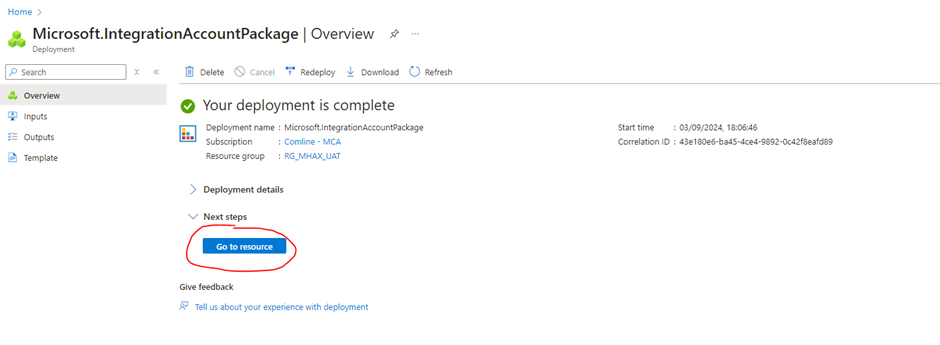
Go to Resource
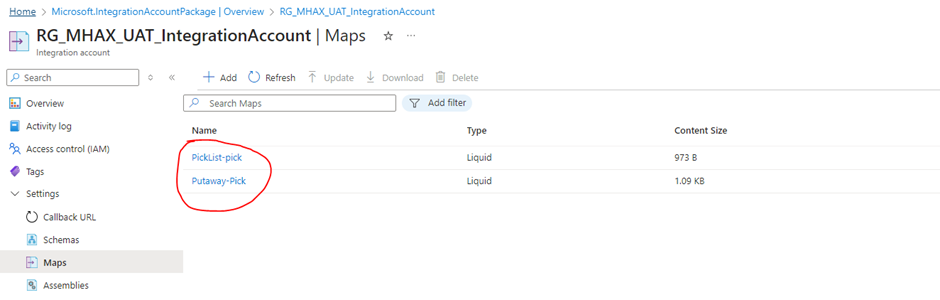
Navigate to Settings > Maps > Click ‘+Add’ > Upload both liquid templates
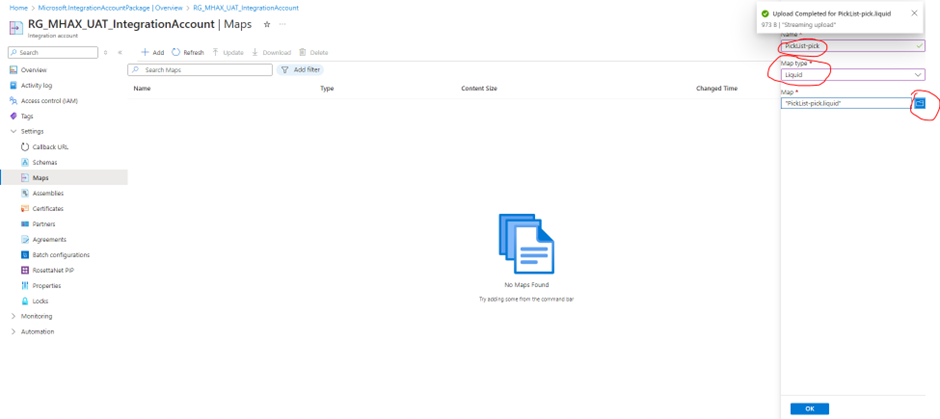
Both templates uploaded
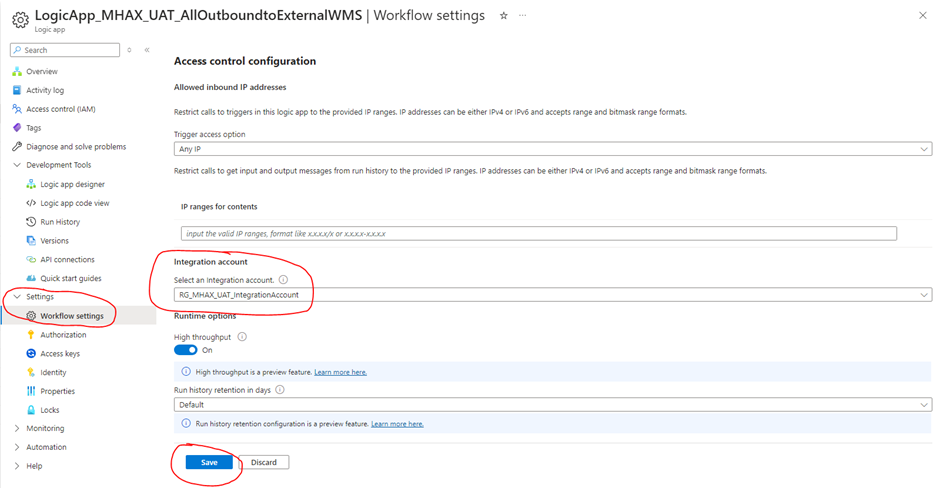
C. Link integration account with logic app
Navigate to Logic app > Settings > Workflow settings > Select integration account
Integrate liquid template action in Logic app workflow
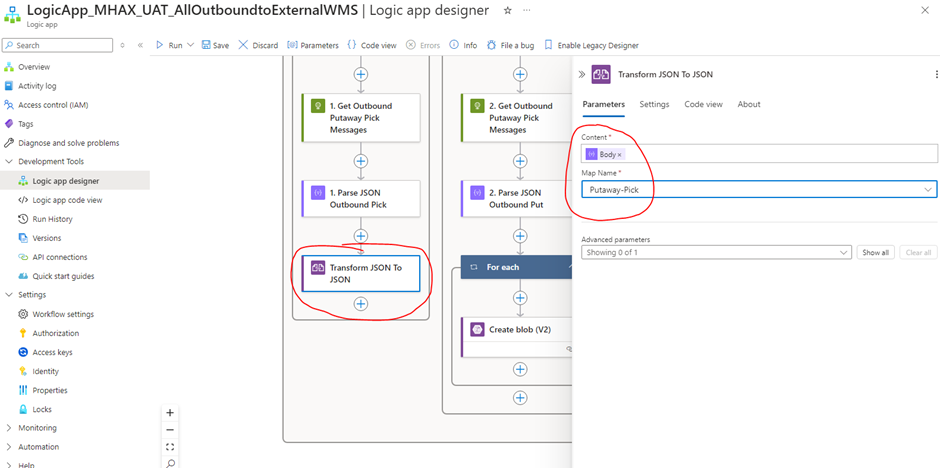
A. Add Liquid Operation action ‘Transform JSON to JSON’
Putaway-Pick branch
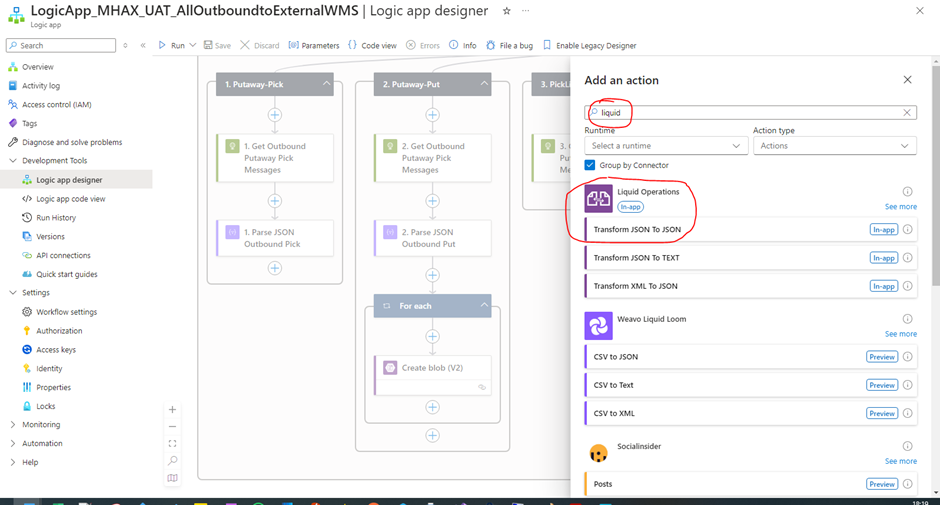
Content : Parse Json output
Map: Select ‘Putaway-pick’ template that we have uploaded above
PickList-Pick branch
Likewise Putaway-pick, configure PickList-Pick message with ‘PickList-Pick’ teimplate selected.
Save logic app.
Run and Test
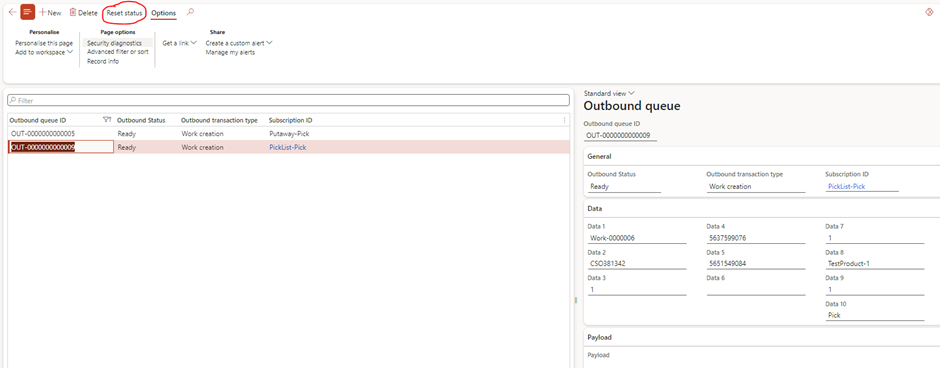
A. you can create a new transaction and let batch job send notification to logic app. I will Reset status of outbound message and use existing transaction to trigger logic app.
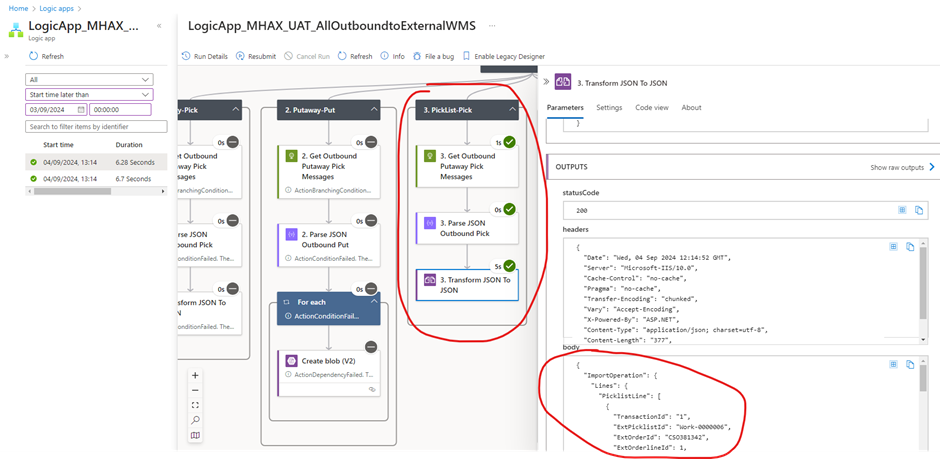
B. Verify Logic app run
Expand Your Knowledge: See More Material Handling Blogs
Share this content:











Post Comment