
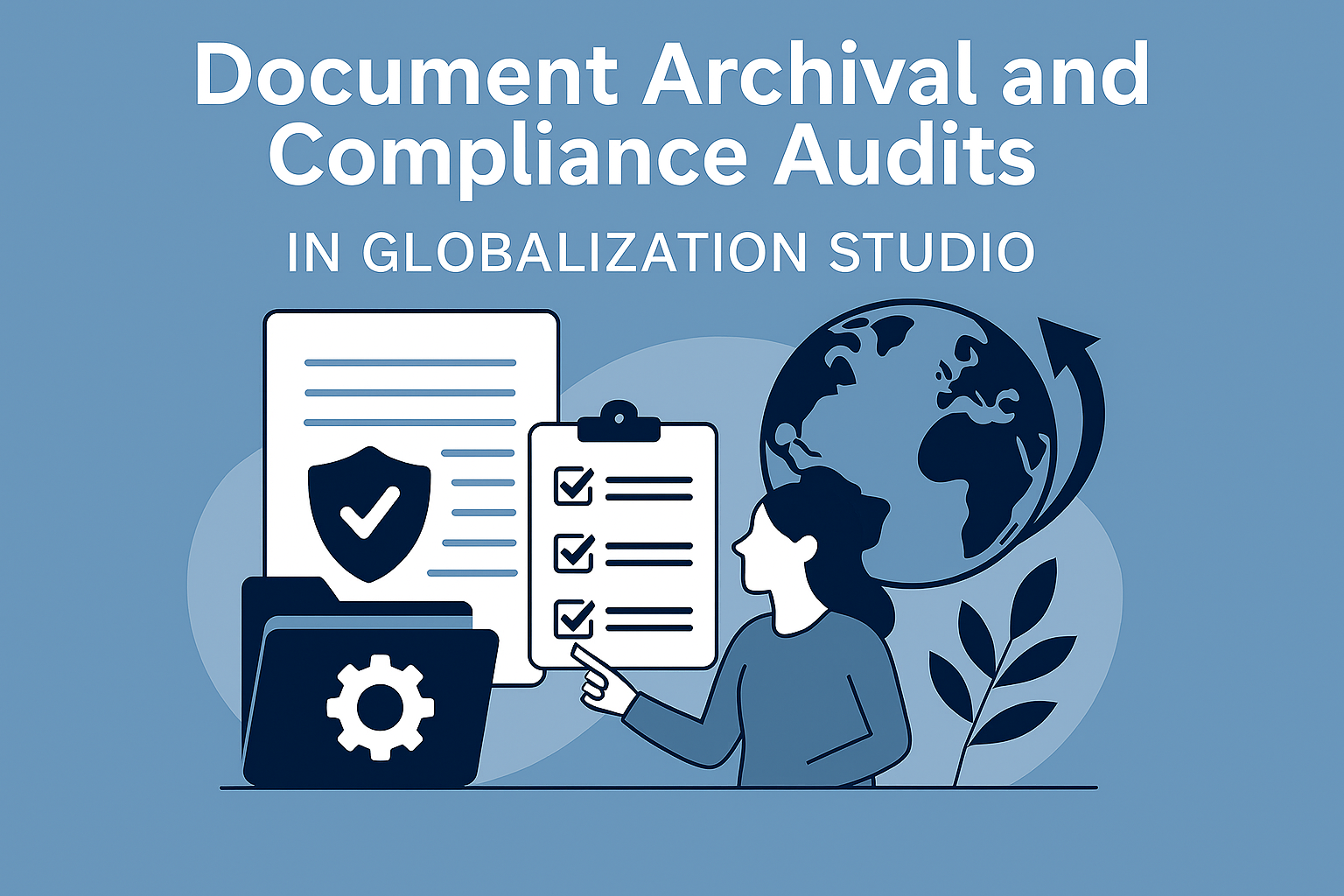
GS525 – Document Archival and Compliance Audits in Globalization Studio
Submitting invoices or tax documents is only half the story. Many jurisdictions require businesses to retain signed documents for years, and be able to produce them instantly during an audit.
If your documents are scattered across desktops, emails, or local folders, you’re at serious risk.
In this article, you’ll learn how to:
- ✅ Archive documents securely using Azure Key Vault and Blob Storage
- 🔄 Optionally use SharePoint for user-friendly access
- 🧾 Enable audit reporting with Power BI and Submission History
- 📅 Apply retention policies to comply with country-specific requirements
🔗 This article connects with GS514 – Output Routing, and GS517 – Error Logs
🧠 Why Archiving Matters
Compliance regulations require:
- Storing signed versions of invoices or tax files
- Keeping records for 5–10 years
- Providing evidence of submission and result
- Ensuring auditability on request
Without proper archiving:
- ⚠️ You may be non-compliant
- ⏱️ Waste hours digging through logs
- 💸 Risk reputational damage and financial penalties
🔒 Electronic Invoicing Prerequisites: Why Azure Key Vault and Storage Are Required
| Component | Purpose |
| Azure Key Vault | Stores digital certificates used for invoice signing securely |
| Azure Blob Storage | Stores output files like XMLs, PDFs, metadata, and logs |
| Storage SAS URL / Managed Identity | Grants secure access to the configured blob container |
When used with Electronic Invoicing, these tools help ensure:
- Regulatory compliance (e.g., Spain SII, Italy SDI)
- Secure and auditable storage
- Scalable, cloud-native document management
🪜 Step-by-Step: Configure Key Vault and Storage for Archiving
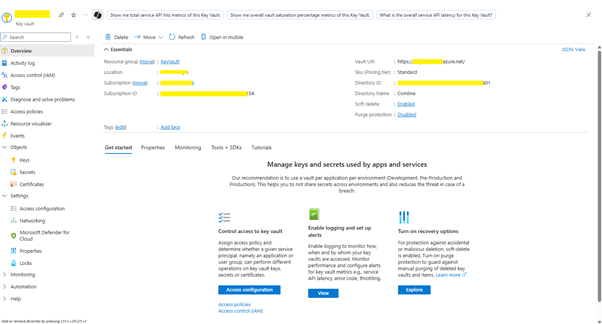
✅ Step 1: Create an Azure Key Vault
- Sign in to Azure Portal
- Go to Key Vaults > + Create
- Fill in:
- Name: d365-keyvault-prod
- Region: Same as your Dynamics 365 instance
- Under Access configuration, select Vault access policy
- Click Review + Create, then Create
✅ Step 2: Create a Blob Storage Account
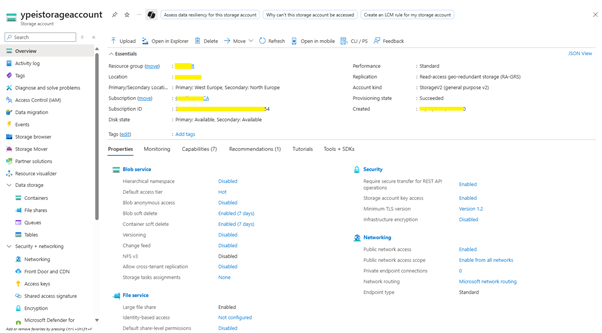
- Go to Storage accounts > + Create
- Set:
- Name: d365archivestorage
- Performance: Standard
- Redundancy: Locally-redundant (LRS)
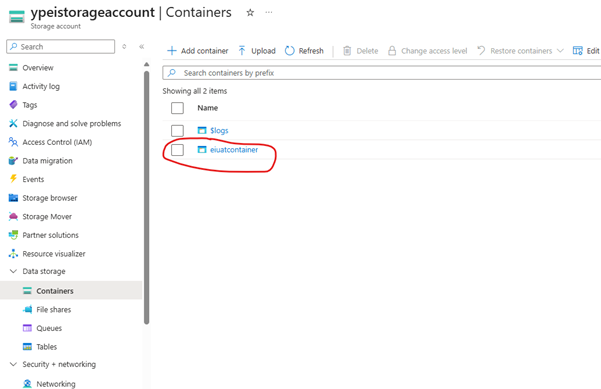
- After creation, go to Containers and add a new container:
- Name: e-invoicing
- Access level: Private (no anonymous access)
✅ Step 3: Store Storage account secret in Key Vault
- Collect Storage account connection string
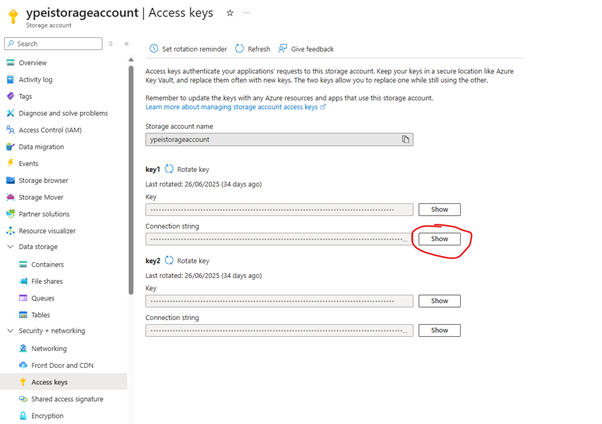
- Go to Key Vault > Object > Secret > Generate/Import

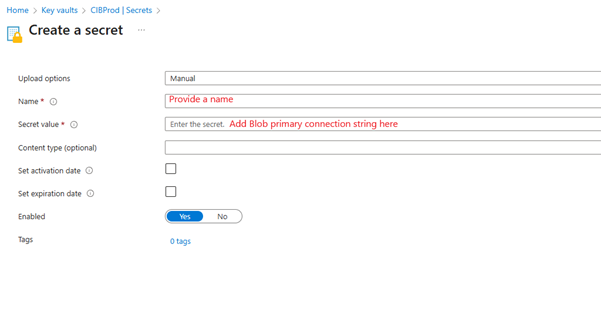
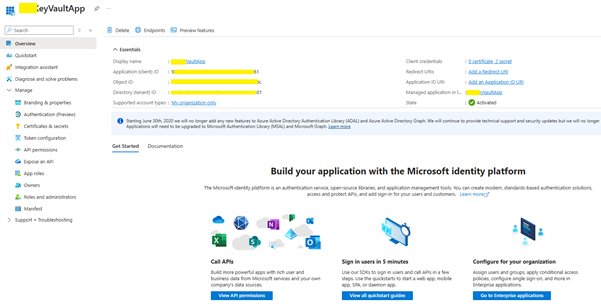
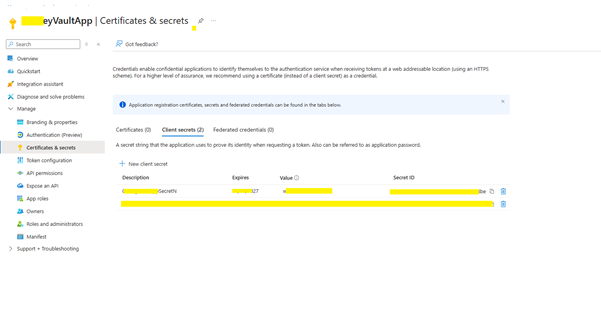
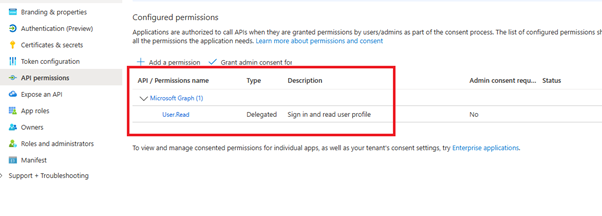
✅ Step 4: Setup Entra ID app and key vault access
- Register Entra App
- Generate Certificate & secret
- Give Graph permission
- Give Key vault permission to the entra app
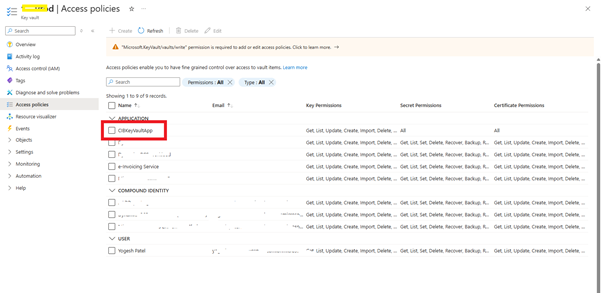
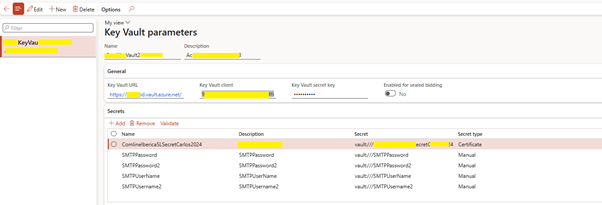
✅ Step 5: Complete Kay Vault Parameters in Dynamics
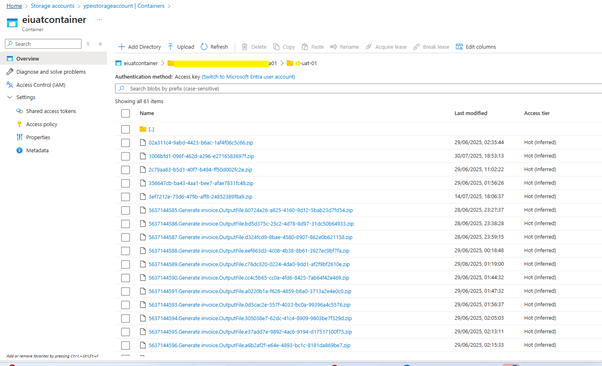
✅ Step 6: Storage of Einvoice submission in Storage account
- Each submitted documents are now automatically get stored under blob storage > container that is created above
📁 High-Level: Alternative Storage in SharePoint
Use Case:
- SharePoint offers a user-friendly way to access and review submitted files.
High-Level Setup:
- Use Power Automate to monitor a folder in Azure Blob or OneDrive
- Trigger flow to:
- Upload the document to SharePoint Document Library
- Apply retention label (e.g., “Finance – 6 Year”)
- Tag with metadata (e.g., invoice number, date, entity)
🧩 Use the same file naming structure to ensure consistency.
| Storage Option | Best For | Notes |
| Blob | Scalable, secure archival | Built into D365 |
| SharePoint | End-user access, finance team review | External setup via Power Automate |
| Dataverse | Structured logs with integration | Suitable for Power Platform workflows |
🧾 Include Metadata for Audits
Ensure every stored document includes:
- Invoice number
- Submission timestamp
- Legal entity & VAT registration
- Submission result (Success, Failed)
- Original vs. signed copy
📌 You can store this as:
- File/folder name
- Separate metadata JSON file
- Entry in Dataverse Submission History entity
🛡️ Apply Retention Policies
| Platform | Method | Example |
| Azure Blob | Lifecycle Management Policy | Delete after 7 years |
| SharePoint | Retention Labels + Policies | Retain 6 years post-create |
| Power Automate | Flag or move archived documents | Monthly or yearly review |
🌍 Country-Specific Archival Rules
| Country | Retention | Requirement |
| Spain | 6 years | Facturae signed XML + FACe Response |
| UK | 6 years | HMRC VAT, customs, declarations |
| Italy | 10 years | Signed FatturaPA + timestamps |
| Germany | 10 years | Must be electronically accessible |
🔗 Related Articles
✅ You’ve Reached the End of the GS500 Series
This concludes the Globalization Studio GS500 Series, a comprehensive journey covering every major component of compliance automation within Dynamics 365 Finance & Supply Chain.
By now, you’ve learned how to:
- Design, deploy, and manage localization features
- Automate document formatting, submission, and validation
- Integrate with Power Platform and Azure
- Handle versioning, exceptions, and audits—all without custom code
💡 Whether you’re an architect, functional consultant, or compliance manager, this series equips you with the skills to implement Globalization Studio confidently and effectively.
🔁 Feel free to revisit specific articles:
- Need a refresher on pipeline execution? See GS506
- Want to automate document flows? Jump to GS514
- Looking for version control guidance? Review GS522
🔍 View Full Article in PDF
Share this content:










Post Comment